
Meteroid Intelligence
Meteroid Intelligence turns the billing and usage data you already have into a full analytics suite, computed from the same subscriptions, invoices, payments and events that drive your billing. The numbers never diverge from what you actually charged. No external warehouse, no ETL, nothing to set up.
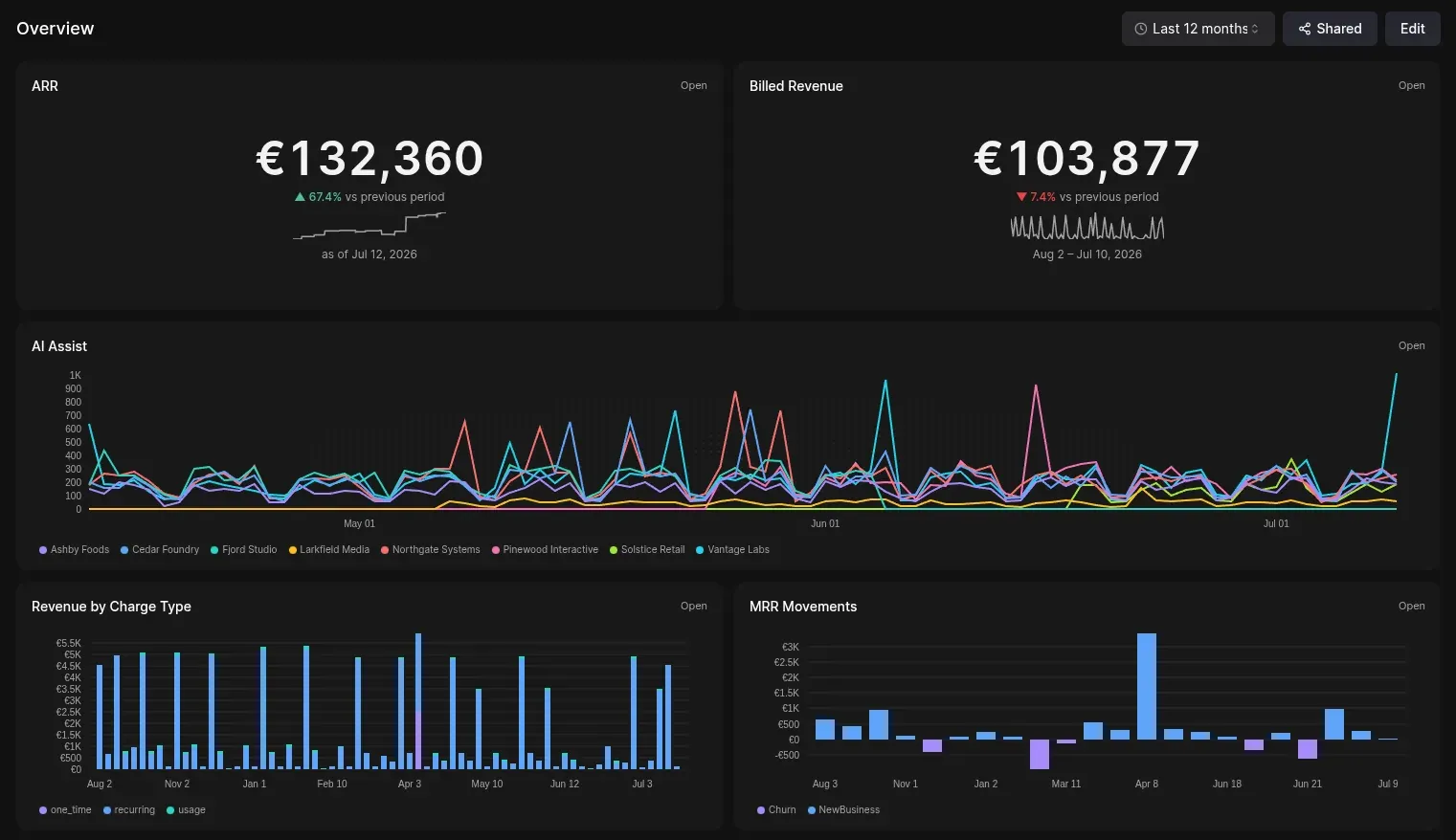
It’s built around four pieces:
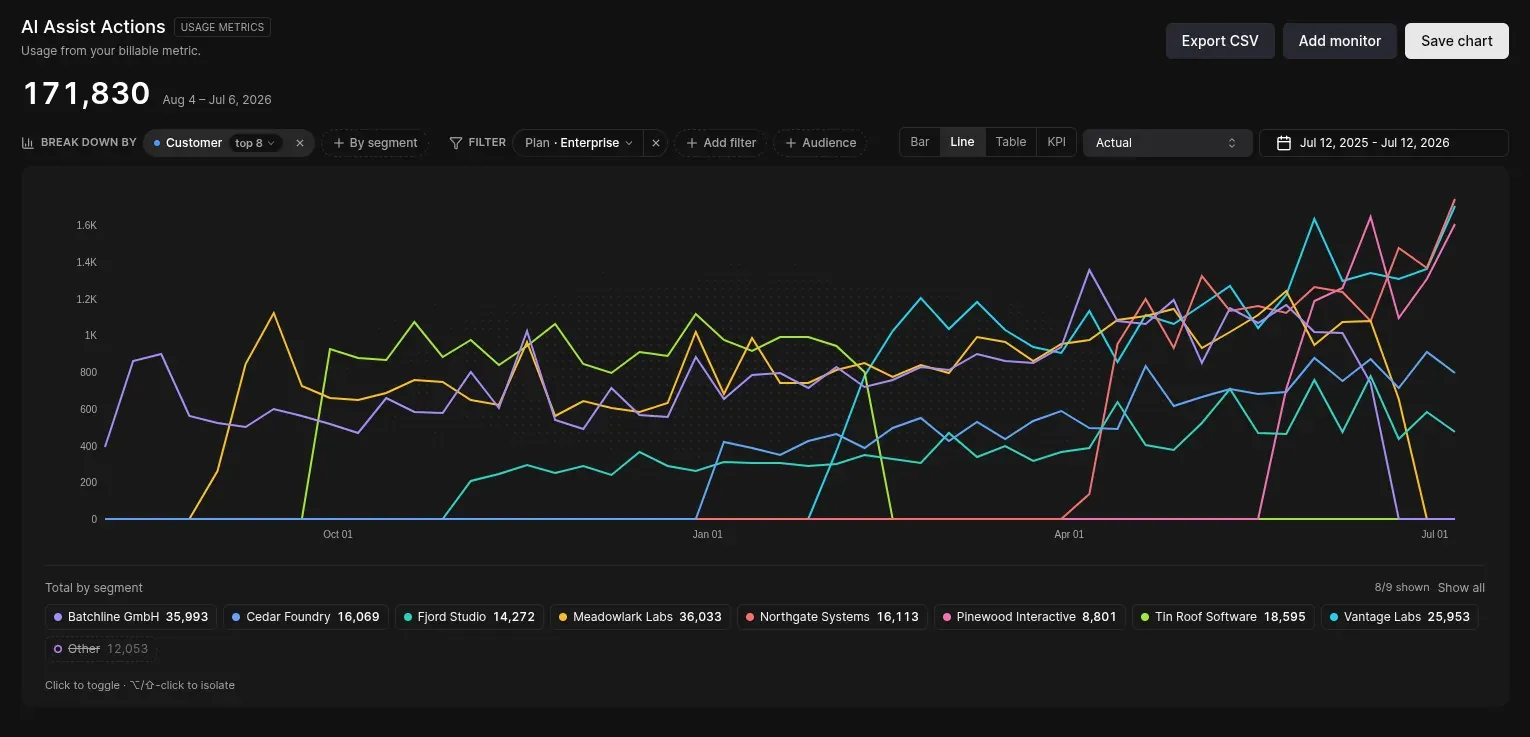
- 27 built-in metrics. MRR, ARR, NRR, churn, cash, retention, revenue mix — plus your own usage metrics — in one explorer you can break down, filter, compare and forecast.
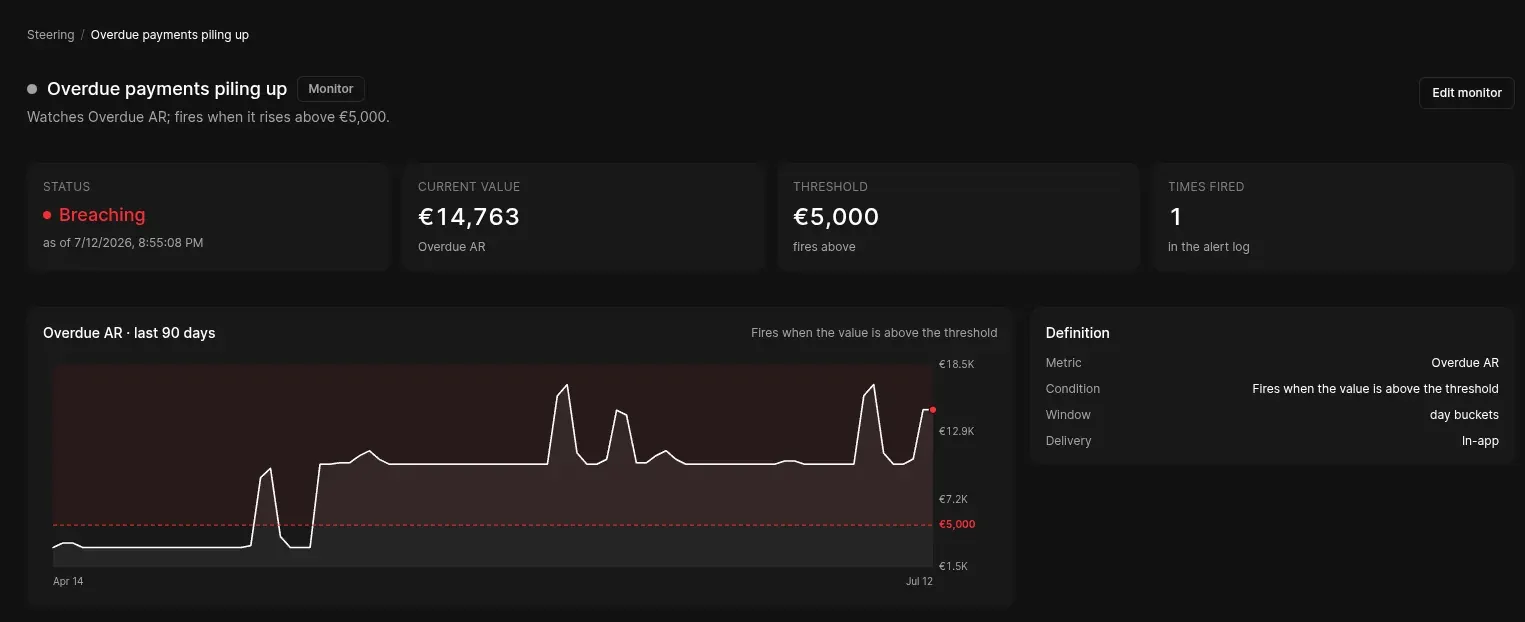
- Steering. Put a monitor on any metric and get alerted on thresholds, % changes, anomalies, usage limits, even forecast breaches. Delivered in-app, email, Slack, Discord or webhook.
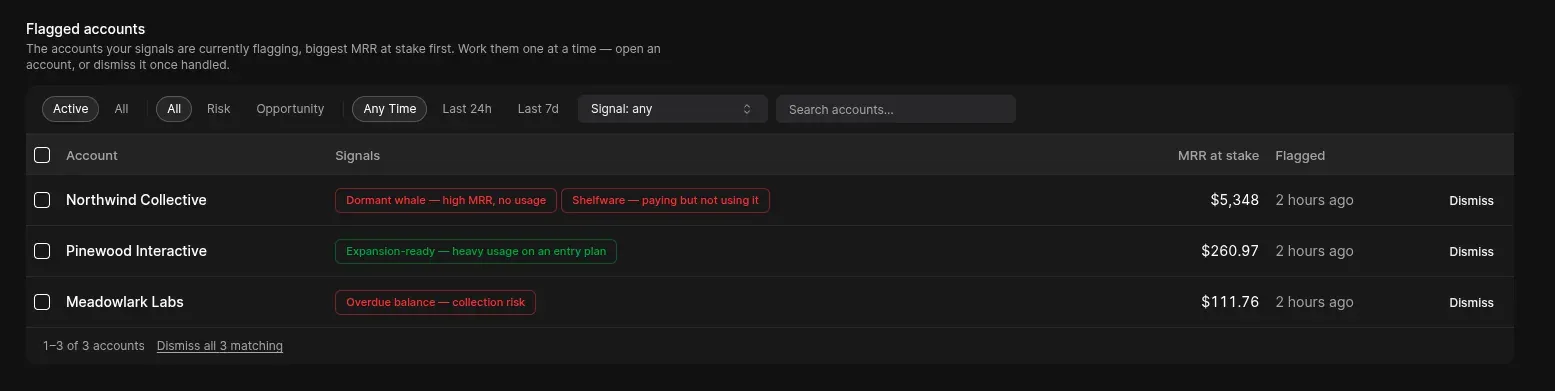
- Customer Signals. A live roster of who’s slipping and who’s expanding, with the MRR at stake, wired straight to the account — for your sales and CS teams.
- Dashboards. Live data, refreshed hourly. Configure and add your charts and KPIs, then share your dashboards externally with your team or stakeholders.
Why it matters
Usage and billing data are a goldmine, yet very few teams actually put it to work. It sits scattered across databases, spreadsheets, and one-off SQL pipelines, with no single source of truth to act on. Meteroid Intelligence turns that raw data into insights that let you make quicker, more relevant decisions with zero setup:
- Unlock expansion revenue — automatically identify power users who are maxing out their plans, so your team can proactively upsell them.
- Catch risk early — get ahead of churn by knowing which accounts are pulling back, before it shows up as a cancellation.
- Get financial data at the push of a button — walk into any conversation with your financial stakeholders fully prepared, without waiting on a data pull.
What you can do in Meteroid Intelligence
- Build custom dashboards — create tailored views with modular report cards to track your most critical metrics in real time.
- Segment your customers — group accounts by their consumption behaviors, active features, or regional profiles.
- Set custom alerts — trigger instant notifications on specific account behaviors, like a usage spike or a sudden drop-off.
Getting started
To read more about how to configure BI in Meteroid, check out our documentation on Intelligence.